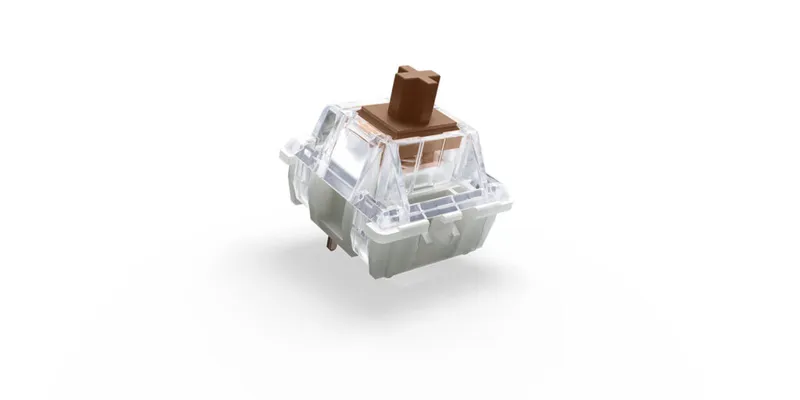
TactileA bump you can feel when the key actuates, without a click. The most popular typing feel.Cherry
Image courtesy of Cherry
The Cherry MX Brown is the classic light 55g tactile that defined the "quiet office switch" category, with a subtle bump that enthusiasts either rely on or mod away.
Cherry MX Brown specs
TypeA bump you can feel when the key actuates, without a click. The most popular typing feel.
Tactile
Actuation forceForce (in grams) needed to register a keypress; lower feels lighter and faster.
55g
Bottom-out forceForce (in grams) to press the key all the way to the bottom.
n/a
Pre-travelDistance (mm) the key moves before it actuates.
2 mm
Total travelFull travel (mm) from rest to fully pressed, usually about 3.5–4 mm.
4 mm
Stem
POM
Top housing
nylon
Bottom housing
nylon
Spring
single-stage
Factory lubeWhether the maker pre-lubricates the switch to smooth travel and refine the sound.
none
Pins3-pin (plate-mount) or 5-pin (PCB-mount). Most hot-swap boards accept both; 5-pin may need its legs clipped.
5-pin
Typical priceTypical price for a single switch; a keyboard needs roughly 60–100+.
$0.35 / switch
Sound profile
muted, papery
Released
1994
Spec fields marked n/a are unpublished by the maker; we list only verifiable numbers rather than guesses.
Unverified: specs compiled from manufacturer listings
Hear the Cherry MX Brown
Cherry MX Brown Sound Test · QwwER · video loads from YouTube only after you press play
KeebScout is reader-supported: some links may earn a commission at no extra cost to you, which keeps the database free. It never changes specs or rankings.
54 keyboards in the database list this as a stock switch.
Which keyboards can use it?
Any hot-swap board with standard MX sockets accepts the Cherry MX Brown (5-pin: check that your plate or PCB supports 5-pin, or clip the legs). Use the full keyboard database to shortlist hot-swap boards that fit your budget and size, or browse the keyboard database.