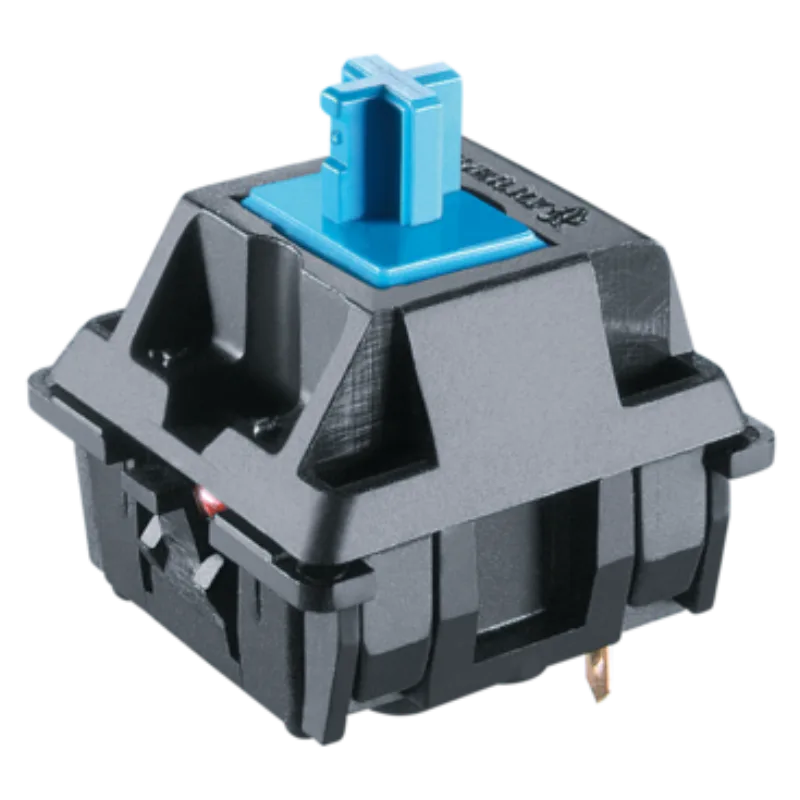
ClickyA tactile bump plus an audible click on every keypress. Loud and definitive.Cherry
Image courtesy of Cherry
The Cherry MX Blue is the archetypal click-jacket clicky switch, actuating at 60g with the sharp, jingly click that most people picture when they hear "mechanical keyboard".
Cherry MX Blue specs
TypeA tactile bump plus an audible click on every keypress. Loud and definitive.
Clicky
Actuation forceForce (in grams) needed to register a keypress; lower feels lighter and faster.
60g
Bottom-out forceForce (in grams) to press the key all the way to the bottom.
n/a
Pre-travelDistance (mm) the key moves before it actuates.
2.2 mm
Total travelFull travel (mm) from rest to fully pressed, usually about 3.5–4 mm.
4 mm
Stem
POM
Top housing
nylon
Bottom housing
nylon
Spring
single-stage
Factory lubeWhether the maker pre-lubricates the switch to smooth travel and refine the sound.
none
Pins3-pin (plate-mount) or 5-pin (PCB-mount). Most hot-swap boards accept both; 5-pin may need its legs clipped.
5-pin
Typical priceTypical price for a single switch; a keyboard needs roughly 60–100+.
$0.35 / switch
Sound profile
sharp, jingly click
Released
1987
Spec fields marked n/a are unpublished by the maker; we list only verifiable numbers rather than guesses.
Unverified: specs compiled from manufacturer listings
Hear the Cherry MX Blue
Cherry MX Blue Sound Test - (CM Quickfire Rapid) · MS Tech · video loads from YouTube only after you press play
KeebScout is reader-supported: some links may earn a commission at no extra cost to you, which keeps the database free. It never changes specs or rankings.
44 keyboards in the database list this as a stock switch.
Which keyboards can use it?
Any hot-swap board with standard MX sockets accepts the Cherry MX Blue (5-pin: check that your plate or PCB supports 5-pin, or clip the legs). Use our keyboard finder to shortlist hot-swap boards that fit your budget and size, or browse the keyboard database.